


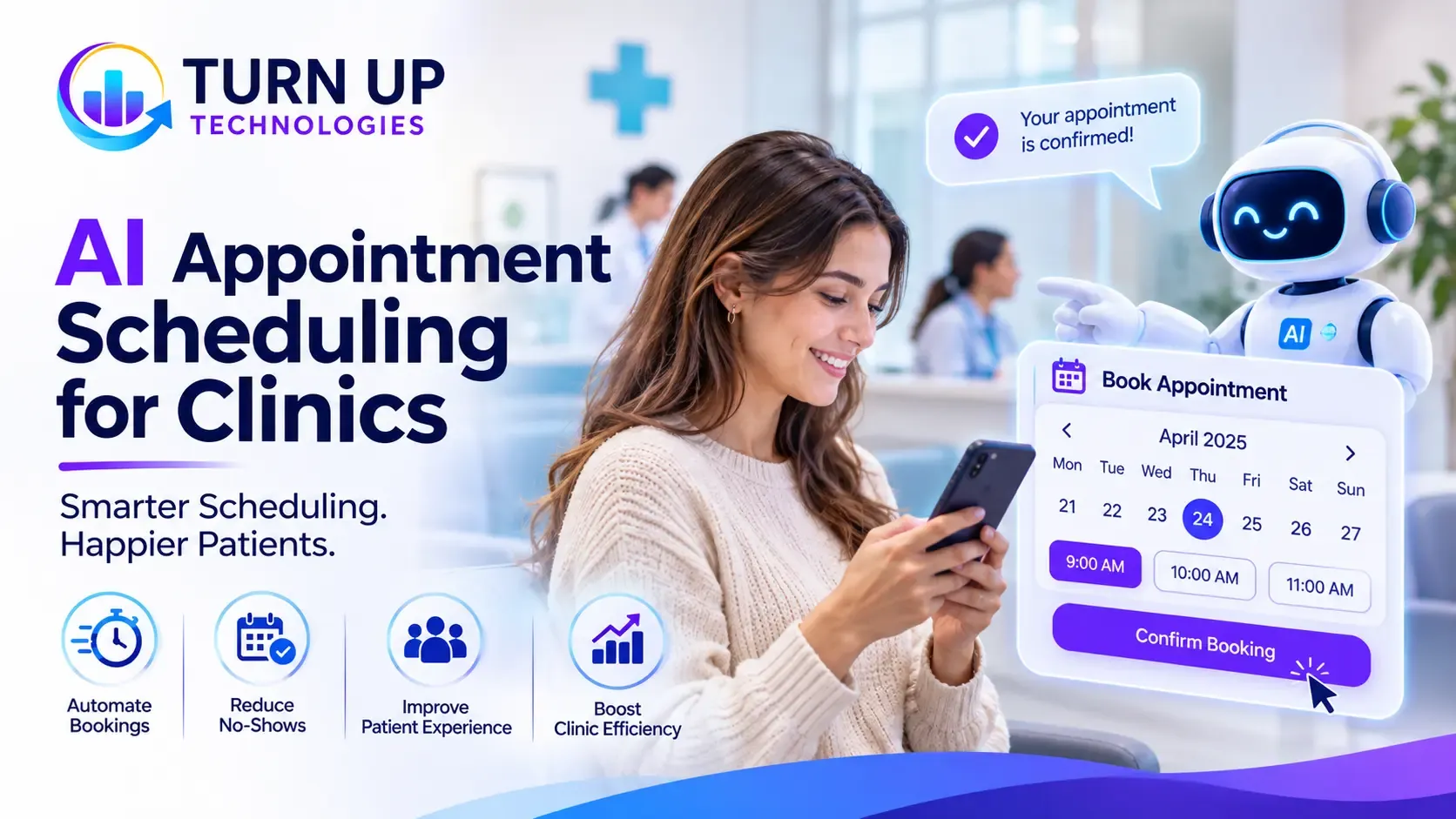
Managing clinic appointments involves much more than adding names to a calendar. Staff must answer calls, check practitioner availability, handle cancellations, send reminders, coordinate appointment types, and respond to patients who want to change their bookings. When these tasks are handled manually, administrative work can build up and make it harder for patients to access appointments conveniently.
AI appointment scheduling for clinics uses artificial intelligence and workflow automation to manage parts of this process. Depending on the system, patients may be able to book, reschedule, or cancel appointments through a website, chatbot, or AI-powered phone assistant without waiting for a member of staff.
For clinics in the USA and UK, the right solution can make appointment management more accessible and organised. However, choosing a system requires careful consideration of its features, integrations, data-handling practices, and total cost.
What Is AI Appointment Scheduling for Clinics?
AI appointment scheduling for clinics is a technology solution that uses artificial intelligence, automation, and calendar integrations to help manage patient bookings and related communication.
Unlike a basic online booking form, an AI scheduling system can interpret natural-language requests, identify suitable appointment options, check availability, and guide patients through the booking process.
Depending on its configuration, it may support:
- Patient appointment booking and rescheduling.
- Appointment cancellations.
- Automated confirmations and reminders.
- Frequently asked scheduling questions.
- Appointment-type and practitioner matching based on clinic-defined rules.
- Waitlist notifications when appointments become available.
- After-hours booking enquiries.
- Calendar updates and administrative notifications.
For example, a patient might ask, “Can I book a follow-up appointment with my physiotherapist next Tuesday afternoon?” An AI assistant can interpret the request, check the available slots through an approved scheduling integration, and present suitable options.
The system should only confirm an appointment after checking the clinic’s actual availability and applying its booking rules.
How Does an AI Scheduling System for Healthcare Work?
An AI patient scheduling system connects the patient-facing booking experience with the clinic’s appointment calendar and, where appropriate, its practice management or electronic health record system.
The exact process depends on the software, but a typical workflow includes the following stages.
1. A patient makes a booking request
Patients can interact with the system through different channels, such as:
- A clinic website booking assistant.
- An AI chatbot.
- An AI-powered phone receptionist.
- A patient portal.
- SMS or other supported messaging channels.
The system collects the information required to identify the appointment request. This may include the appointment type, preferred date, practitioner, and contact details.
2. AI interprets the request
Natural-language processing helps the system understand what the patient is asking for.
For instance, a patient might request an initial consultation, a routine follow-up, or a particular type of therapy session. The AI can use the clinic’s configured appointment categories and scheduling rules to identify the appropriate booking pathway.
It should not independently make clinical decisions or determine medical urgency beyond an explicitly approved workflow.
3. The system checks appointment availability
The scheduling platform checks the connected calendar or practice management system for available appointments.
It can consider rules such as:
- Practitioner availability.
- Appointment duration.
- Clinic opening hours.
- Location or room availability.
- Appointment type.
- Booking restrictions and buffer times.
Real-time synchronization is particularly important. Without it, patients could be shown outdated availability or accidentally be offered an already-booked slot.
4. The patient selects a suitable appointment
The system presents available options and allows the patient to choose one.
Once the booking is confirmed, the appointment should be recorded in the appropriate scheduling system. Patients can then receive confirmation through the clinic’s selected communication channel.
5. Automated reminders and follow-ups are sent
The system can send appointment confirmations and reminders before the scheduled visit.
Depending on the clinic’s workflow, patients may also be able to confirm attendance, request a change, or cancel an appointment through the same channel.
6. Staff monitor and manage exceptions
Not every appointment request should be completed automatically.
Unusual requests, unclear information, scheduling conflicts, and cases requiring staff judgement should be transferred to the appropriate team member. Staff should also have access to review bookings and correct errors.
Key Features of an AI Appointment Booking System for Clinics
Not every healthcare scheduling platform offers the same capabilities. Clinics should evaluate features according to their appointment volumes, specialties, existing systems, and patient requirements.
|
Feature |
What it does |
Why it matters |
| AI booking assistant | Understands patient booking requests | Makes booking easier |
| Calendar integration | Checks and updates availability | Helps prevent scheduling conflicts |
| Automated reminders | Sends appointment notifications | Supports patient communication |
| Rescheduling and cancellation | Handles permitted appointment changes | Reduces manual administration |
| Waitlist automation | Notifies eligible patients about available slots | Helps manage cancellations |
| AI phone assistant | Responds to routine scheduling calls | Supports after-hours enquiries |
| Staff dashboard | Displays bookings and exceptions | Keeps teams informed |
| Reporting | Tracks booking activity and workflow performance | Supports operational decisions |
Clinics should priorities reliable calendar synchronization, clear escalation procedures, and appropriate data controls over an impressive list of AI features.
Benefits of Automated Patient Appointment Scheduling
AI scheduling can support clinic operations by reducing repetitive administrative tasks and making booking channels more accessible. The actual benefits depend on implementation quality and patient adoption.
1. More convenient appointment access
Patients may be able to request appointments outside normal reception hours through an online assistant or supported phone service.
This gives patients another way to interact with the clinic without depending entirely on staff availability.
2. Less repetitive front-desk administration
Reception teams often handle similar requests throughout the day, including appointment availability, confirmation, rescheduling, and cancellation enquiries.
Automating suitable routine tasks can reduce the amount of manual work involved and allow staff to focus on requests that need personal attention.
3. More consistent appointment reminders
An automated system can send reminders according to clinic-defined schedules and communication preferences.
This provides a consistent process for notifying patients about upcoming appointments. Clinics can monitor confirmation and cancellation activity to understand how well their reminder workflow is working.
4. Better management of cancellations
When a patient cancels, an AI appointment management system may identify suitable people on a waitlist and send notifications about the newly available slot.
The clinic can configure whether the system automatically offers appointments or asks staff to approve changes before confirming them.
5. More organized scheduling across practitioners
Clinics with multiple practitioners, appointment types, or locations need scheduling rules that account for different working hours and resources.
A connected system can apply these rules when displaying available appointments, helping staff manage more complex calendars.
6. Improved visibility into booking activity
Reporting features can help managers review:
- Booking volumes by appointment type.
- Cancellation and rescheduling activity.
- Appointment confirmation rates.
- Patient booking channel usage.
- Staff intervention and escalation patterns.
These insights can help clinics identify administrative bottlenecks and improve scheduling processes.
AI Scheduling vs Traditional Online Booking
A traditional booking form and an AI scheduling assistant are not the same thing. Both can help patients arrange appointments, but their capabilities differ.
|
Capability |
Traditional online booking |
AI appointment scheduling |
| Booking process | Patient selects from displayed options | Patient can describe a request conversationally |
| Availability checking | Shows available slots | Can check availability through an integration |
| Patient questions | Usually limited to fixed information | Can respond to supported natural-language questions |
| Rescheduling | May require a separate form or login | Can guide permitted changes conversationally |
| Reminders | Available in many systems | Can be connected to automated reminder workflows |
| Complex requests | Often require staff assistance | Can interpret requests and escalate when needed |
| Workflow automation | Depends on platform features | Can connect booking with additional configured workflows |
Which option should a clinic choose?
A small clinic with straightforward appointment requirements may only need reliable online booking and automated reminders. A busier practice handling high call volumes, multiple practitioners, or frequent scheduling changes may benefit from a more advanced AI scheduling solution.
The best choice is the one that solves the clinic’s actual operational problems without introducing unnecessary complexity.
How Much Does AI Appointment Scheduling for Clinics Cost?
The cost of AI appointment scheduling depends on the features required, the number of practitioners, the clinic’s existing software, and the complexity of implementation.
There is no single price that applies to every clinic. A basic booking tool and a customised AI-powered scheduling platform can involve very different levels of investment.
Main factors that influence cost
- Number of practitioners and locations
A system for one practitioner may require fewer user accounts, scheduling rules, and administrative controls than a multi-location clinic.
- AI capabilities
A basic chatbot that answers common booking questions is different from an AI phone assistant that handles calls, checks availability, and manages appointment changes.
More advanced functionality can increase subscription and development costs.
- Software integrations
Connecting the scheduling system with an existing practice management platform, electronic health record, patient portal, or communication service can affect the project budget.
The availability and quality of existing integrations are important considerations.
- Customizations and workflow requirements
Clinics may need specific rules for appointment durations, practitioner availability, booking eligibility, cancellation windows, or approval processes.
The more specialized the workflow, the more configuration or custom development may be required.
- Messaging and usage charges
SMS, voice calls, AI usage, and other third-party services may be billed separately or included within a software subscription.
Clinics should check usage limits and additional charges before committing.
Typical cost components
|
Cost component |
What to consider |
| Software subscription | Monthly or annual platform fees |
| AI usage | Voice, chatbot, or message usage charges |
| Integration | Connecting existing clinic systems |
| Custom development | Specialized booking rules and workflows |
| Setup and migration | Configuration and data transfer |
| Ongoing support | Maintenance, updates, and technical assistance |
Before comparing providers, calculate the expected total cost of ownership rather than looking only at the advertised monthly subscription.
Ask vendors to explain setup fees, integration charges, usage limits, support costs, contract terms, and what happens if the clinic changes its software later.
Important Considerations Before Implementing Healthcare Scheduling Automation
Appointment scheduling involves personal information, and some workflows may involve sensitive health data. Clinics should assess privacy, security, and operational risks before adopting an AI-powered system.
Data protection in the USA
Clinics subject to HIPAA should evaluate how a scheduling provider handles electronic protected health information (ePHI).
If a cloud service provider creates, receives, maintains, or transmits ePHI on behalf of a covered entity, HIPAA business associate requirements may apply. A suitable Business Associate Agreement (BAA), appropriate safeguards, and a risk assessment should be considered.
The US Department of Health and Human Services provides guidance on HIPAA and cloud computing. Clinics should review the provider’s role and responsibilities rather than assuming that a product is suitable simply because it is cloud-based.
Data protection in the UK
Health information is special category personal data under UK GDPR.
Clinics must identify an appropriate lawful basis under Article 6 and a separate condition under Article 9 when processing special category data. Depending on the processing, additional safeguards and a data protection impact assessment may also be required.
Clinics should review the provider’s data processing arrangements, access controls, retention practices, and any third-party services involved.
Keep clinical decisions under appropriate human oversight
AI scheduling should support administration, not replace professional clinical judgement.
For example, an AI assistant may collect a patient’s request and direct them to an approved booking pathway. It should not independently diagnose a condition, determine treatment suitability, or decide that an urgent symptom can wait for a routine appointment.
Clinics should establish clear escalation routes for urgent, ambiguous, or sensitive enquiries.
How to Implement an AI Patient Scheduling System
A structured implementation process helps clinics avoid unnecessary disruption.
Step 1: Review the existing appointment workflow
Identify where staff spend the most time. Review incoming calls, online booking requests, cancellations, reminders, and rescheduling.
This helps establish which tasks are suitable for automation.
Step 2: Define the scheduling rules
Document appointment types, practitioner availability, booking restrictions, clinic locations, appointment durations, and cancellation policies.
The AI system needs clear rules to handle requests consistently.
Step 3: Select the right technology
Compare solutions based on:
- Compatibility with existing practice management software.
- Calendar synchronization.
- Patient communication channels.
- AI booking and rescheduling capabilities.
- Staff controls and escalation options.
- Data protection and security arrangements.
- Reporting and ongoing support.
Step 4: Integrate the scheduling platform
Connect the chosen solution to the relevant clinic systems. Test whether bookings, cancellations, and changes update correctly across connected calendars.
Step 5: Test common and unusual scenarios
Test routine bookings, unavailable practitioners, duplicate requests, cancellations, rescheduling, unclear questions, and requests that need staff attention.
A pilot with a limited workflow can help identify problems before wider deployment.
Step 6: Train staff and monitor performance
Explain how the system works, when staff need to intervene, and how to handle errors or patient complaints.
Monitor booking accuracy, failed requests, escalation rates, patient feedback, and administrative workload. Use these findings to improve the workflow.
How Turn Up Technologies Can Help Clinics Automate Appointment Scheduling
Implementing an AI scheduling system requires more than adding a chatbot to a website. The solution needs to understand the clinic’s booking process, connect with appropriate systems, and follow clearly defined operational rules.
Turn Up Technologies provides AI-powered technology and automation services to help businesses develop and integrate digital workflows around their operational requirements.
For healthcare organizations, a tailored solution may involve:
- AI-powered patient booking assistants.
- Automated appointment enquiries and confirmations.
- Workflow automation for scheduling-related tasks.
- Integration with suitable calendars and business systems.
- AI chatbot development for routine patient communication.
- Custom digital applications designed around operational needs.
The right approach depends on the clinic’s current software, patient journey, and administrative challenges. Not every practice needs a fully custom-built platform; an existing solution with appropriate integrations may be more suitable.
Frequently Asked Questions
1. What is AI appointment scheduling for clinics?
AI appointment scheduling for clinics uses artificial intelligence and automation to manage tasks such as booking, rescheduling, cancellations, reminders, and appointment enquiries. It can connect patient-facing channels with clinic calendars and approved scheduling systems.
2. How does an AI patient scheduling system work?
An AI scheduling system interprets a patient’s request, checks available appointment slots through a connected calendar, presents suitable options, and records confirmed bookings. It may also manage reminders and permitted appointment changes.
3. Can AI schedule appointments over the phone?
Yes. An AI-powered phone assistant can answer supported scheduling calls, understand booking requests, check availability, and guide patients through the booking process. Clinics should configure clear escalation procedures for requests that need human assistance.
4. Can AI scheduling software reduce missed appointments?
Automated reminders and confirmation workflows can help clinics communicate appointment details more consistently. However, results depend on patient engagement, reminder timing, communication preferences, and the overall scheduling process. No system can guarantee that missed appointments will be eliminated.
5. How much does AI appointment scheduling software cost?
Pricing depends on the software subscription, AI capabilities, number of practitioners, integrations, messaging usage, and customization. Clinics should compare setup costs and ongoing charges as well as monthly subscription fees.
6. Is AI appointment scheduling suitable for small clinics?
Yes, it can be suitable for small clinics, particularly those that receive frequent booking enquiries or need online appointment access outside reception hours. However, a basic booking platform may be sufficient if the clinic has simple scheduling requirements.
7. Is AI appointment scheduling secure for healthcare organizations?
It can be implemented with appropriate safeguards, but security and compliance depend on the specific provider, configuration, data flows, and the clinic’s responsibilities. US clinics should assess applicable HIPAA requirements, while UK clinics should consider UK GDPR requirements for health data.
Final Thoughts
AI appointment scheduling for clinics can help organize booking requests, automate routine communication, and make appointment access more convenient. Its value depends on how well the system fits the clinic’s existing workflows and how reliably it connects with the tools staff already use.
Before investing, assess your current scheduling challenges, define the tasks you want to automate, and evaluate integration, data protection, support, and total cost.
For clinics planning to modernize their appointment workflows, the next step is to identify the right balance between automation and human oversight.