

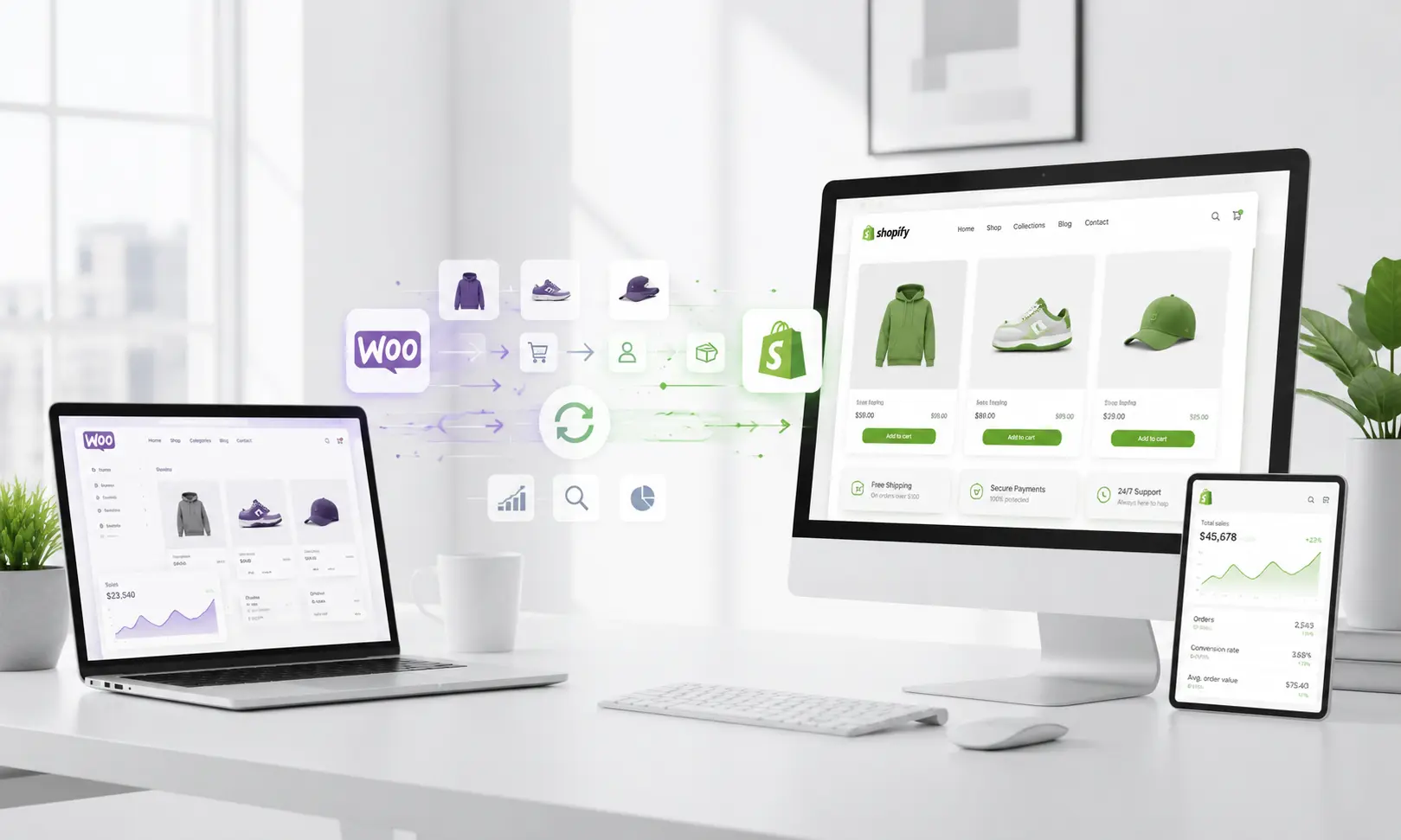
Migrating your online store is more than simply switching ecommerce platforms; it’s an opportunity to improve performance, simplify day-to-day operations, and prepare your business for long-term growth. As online stores expand, many business owners discover that maintaining a WooCommerce store requires increasing amounts of time and technical effort.
That’s why many growing businesses choose WooCommerce to Shopify migration. Shopify offers a fully hosted ecommerce platform designed to reduce technical complexity while providing the tools businesses need to scale with confidence.
The good news is that with the right planning and execution, you can migrate WooCommerce to Shopify smoothly while minimizing downtime and preserving your store’s performance.
Before You Begin
Before starting your WooCommerce to Shopify migration, define what you want to achieve. Are you looking for faster website performance, easier store management, lower maintenance costs, or better scalability?
Having clear goals helps you make smarter migration decisions and measure whether the move delivers the results your business expects.
Why Businesses Choose WooCommerce to Shopify Migration
WooCommerce remains one of the most popular ecommerce platforms because of its flexibility and customization options. However, as businesses grow, maintaining a WooCommerce store often requires more technical resources, ongoing updates, and frequent troubleshooting.
Shopify takes a different approach by providing a fully managed ecommerce platform where hosting, security, updates, and infrastructure are handled for you. This allows business owners to spend less time maintaining their websites and more time growing their business.
Key Benefits of Migrating from WooCommerce to Shopify
1. Easier Store Management
Managing a WooCommerce store often means handling multiple plugins, theme updates, hosting settings, and backups. While these tools offer flexibility, they also increase complexity over time.
Shopify brings everything together in one intuitive dashboard, allowing you to manage products, inventory, orders, customers, and reports without juggling multiple systems.
2. Better Performance
Website speed has a direct impact on customer experience and conversions. Even a few extra seconds of loading time can lead to abandoned carts and lost sales.
Because Shopify is a hosted platform, it manages server performance and infrastructure automatically. This means your store is better prepared to handle traffic spikes during promotions, holiday sales, or product launches without requiring manual optimization.
3. Enhanced Security
Keeping WooCommerce secure requires regular updates to WordPress, plugins, themes, and server software. Missing a single update can expose your store to security vulnerabilities.
With Shopify, essential security features are built into the platform, including:
- SSL certificates
- PCI DSS compliance
- Automatic security updates
- Secure hosting
This reduces the technical burden on your team while helping protect customer information.
4. Scalability for Growing Businesses
As your product catalog and customer base expand, your ecommerce platform should grow with you.
Shopify offers built-in features and integrations that support business growth, including:
- Multi channel selling
- Inventory management
- Global payment gateways
- Marketing integrations
- Thousands of business apps
5. Modern Productivity Features
Shopify continues to introduce features that simplify everyday business operations. Tools like Shopify Magic can help generate product descriptions and marketing content, allowing teams to complete repetitive tasks more efficiently.
How to Prepare Before Migrating
Preparation is one of the most important parts of any ecommerce migration. Investing time upfront helps reduce risks and ensures a smoother transition.
1. Back Up Your Store
Before making any changes, create a complete backup of your:
- Website files
- Products
- Customer records
- Orders
- Media library
- Database
2. Audit Your Existing Store
Take time to review your WooCommerce store before exporting data.
Look for:
- Outdated products
- Duplicate listings
- Broken images
- Unused pages
- Inactive plugins
3. Review Your SEO Assets
Many businesses worry about losing search rankings after migration. Before moving your website, record important SEO information such as:
- High-performing pages
- Meta titles
- Meta descriptions
- Important URLs
- Internal links
4. Choose the Right Migration Method
Every business has different requirements.
Your options include:
- Manual migration
- CSV imports
- Third-party migration tools
- Professional Shopify migration services
How to Migrate WooCommerce to Shopify
Once your preparation is complete, it’s time to begin the migration process.
Step 1: Create Your Shopify Store
Start by creating your Shopify account and selecting a theme that aligns with your brand.
You don’t need to finalize every design element immediately. The primary goal is to prepare the environment where your store data will be imported.
Step 2: Export Your WooCommerce Data
Export your essential business data, including:
- Products
- Categories
- Customers
- Orders
- Blog content
- Images
Before exporting, verify that your product information is accurate and up to date. Removing duplicate or discontinued products makes the migration cleaner and easier to manage.
Step 3: Import Your Data into Shopify
Depending on your chosen migration method, import your store data into Shopify.
After the import, review your:
- Product descriptions
- Images
- Pricing
- Product variants
- Collections
Small formatting issues are common, so take time to verify everything before launching your store.
Step 4: Configure Your Store
Once your data has been imported, configure essential business settings, including:
- Payment gateways
- Shipping rules
- Tax settings
- Store policies
- Customer notifications
Step 5: Preserve Your SEO
Protecting your SEO should be a priority throughout the migration.
Make sure you:
- Create 301 redirects
- Update internal links
- Preserve important metadata
- Generate a new XML sitemap
- Connect Google Search Console
- Verify Google Analytics tracking
Step 6: Test Everything
Before making your Shopify store live, test every important function.
Check:
- Product pages
- Search functionality
- Customer accounts
- Checkout process
- Payment gateways
- Shipping calculations
- Mobile responsiveness
What to Do After Migration
Launching your Shopify store is only the beginning.
During the first few weeks after migration, monitor your website closely to ensure everything continues working as expected.
Post Migration Checklist
✔ Test multiple checkout scenarios
✔ Monitor 301 redirects
✔ Review product pages
✔ Submit your sitemap to Google Search Console
✔ Track keyword rankings
✔ Monitor organic traffic
✔ Check customer feedback
✔ Verify inventory synchronization
✔ Test contact forms and email notifications
Common WooCommerce to Shopify Migration Mistakes
Even a well planned migration can run into problems if important steps are overlooked.
1. Skipping a Full Backup
Without a backup, recovering lost information becomes significantly more difficult if something goes wrong.
2. Ignoring SEO Redirects
Failing to create 301 redirects can lead to broken links, lost rankings, and poor user experience.
3. Migrating Unnecessary Data
Old products, duplicate pages, and outdated content only make your new store harder to manage.
Clean your data before importing it.
4. Not Testing Before Launch
Never assume everything works correctly after importing your data.
Always test your checkout process, payment gateways, shipping settings, and customer accounts before going live.
5. Choosing the Wrong Migration Method
A small business may be able to complete a migration manually, but larger stores with thousands of products and custom functionality often benefit from professional migration support.
Should You Hire Shopify Migration Experts?
DIY migration can work well for smaller stores with simple requirements.
However, if your business depends on strong SEO performance, custom integrations, or a large product catalog, working with experienced professionals can significantly reduce risks.
Professional Shopify migration services help ensure:
- Accurate data migration
- SEO preservation
- Minimal downtime
- Proper testing
- Faster project completion
- Ongoing technical support
Final Thoughts
Need help with a complex ecommerce migration? Explore our services to see how Turn Up Technologies helps businesses plan, migrate, and optimize ecommerce stores for long-term success.
At Turn Up Technologies, we combine ecommerce development expertise with SEO best practices to deliver secure and scalable Shopify migration solutions tailored to your business goals.
Frequently Asked Questions (FAQs)
1. How long does WooCommerce to Shopify migration take?
The migration timeline depends on the size and complexity of your store. Small stores with a few hundred products can often be migrated within a day, while larger ecommerce stores with thousands of products, custom features, and extensive order history may take several days or weeks to complete.
2. Will I lose my SEO rankings after migrating to Shopify?
Not if the migration is planned correctly. Preserving SEO requires proper 301 redirects, optimized metadata, internal linking, XML sitemap updates, and post-migration testing. When these best practices are followed, you can minimize ranking fluctuations and maintain your organic visibility.
3. What data can I migrate from WooCommerce to Shopify?
Products and customer records can usually be imported through CSV or migration tools. Historical orders and reviews often require compatible third-party apps, while customer passwords cannot normally be transferred.
4. Can I migrate my WooCommerce store without downtime?
Yes. In most cases, your existing WooCommerce store remains live while your new Shopify store is being set up. Once everything has been tested and verified, you can switch your domain to Shopify, minimizing disruptions for your customers.
5. Should I migrate my store myself or hire a Shopify migration expert?
If your store has only a small product catalog and minimal custom functionality, a DIY migration may be sufficient. However, businesses with large inventories, complex integrations, or strong SEO performance often benefit from professional Shopify migration services to reduce risks and ensure a smooth transition.
6. Is Shopify better than WooCommerce for growing businesses?
Both platforms have their strengths. WooCommerce offers greater flexibility for businesses that want full control over their website, while Shopify provides a fully managed ecommerce solution with built-in hosting, security, and scalability. The right choice depends on your business goals, technical resources, and long-term growth plans.